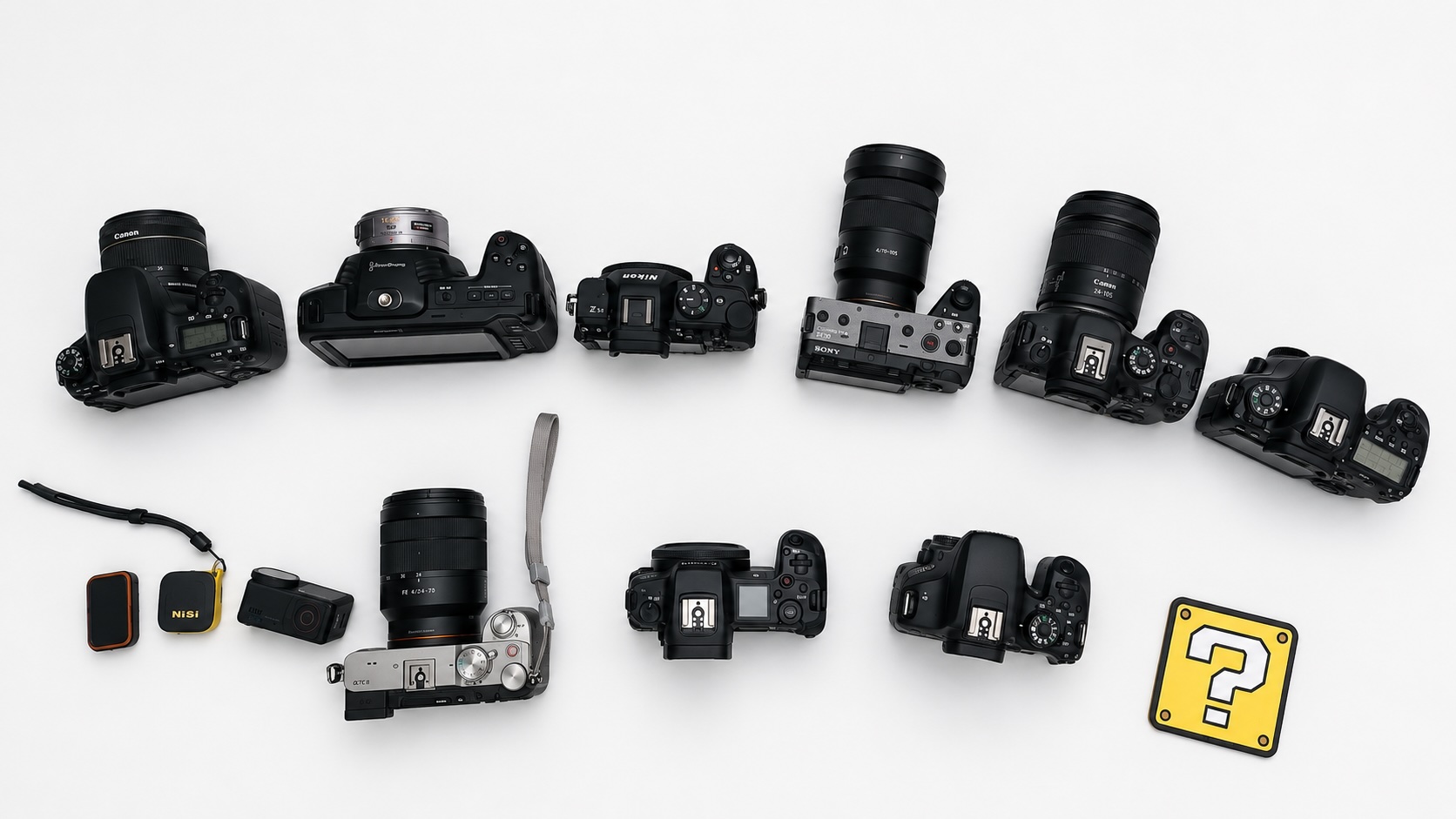
BT Cam 4.6 brings a major expansion to focus and zoom control, introduces Capture Link for natural multicam triggering, and launches BT Cam Pro for photographers and videographers who need more from their workflow. This release also significantly broadens camera compatibility — BT Cam now supports more than 250 cameras, giving more creators access to wireless remote control across the brands and models they already use.
Below is an overview of everything new in this release.
Expanded Camera Compatibility
Compatibility has been a core focus of 4.6. With continued work across Canon, Nikon, Blackmagic, and other supported brands, BT Cam now covers more than 250 cameras — from entry-level mirrorless bodies to professional cinema rigs.
That expanded support means more users can take advantage of everything in this release: multicam control, Capture Link, focus and zoom tools, timecode, and the new Pro tier. Whether you shoot events, weddings, studio sessions, or live productions, there is a stronger chance your gear is already on the list.
Focus and Zoom Control, Expanded
Analog and Absolute Control for All Cameras
Previous versions of BT Cam offered focus and zoom control on select cameras. With 4.6, analog and absolute focus/zoom is now available across all supported cameras. This means you can move focus smoothly across the full range, or jump directly to a specific position — regardless of your camera brand.
Tilta Nucleus Wheel Support
BT Cam 4.6 adds support for Tilta nucleus wheels. Connect your wheel and use it to control focus or zoom directly through the app, giving you a physical, tactile interface for precise adjustments — particularly useful on gimbal setups or when operating a camera remotely.
ATEM Switcher Focus and Zoom
For live and studio productions, ATEM switchers can now drive focus and zoom on connected cameras. This extends the ATEM integration introduced in earlier versions, letting operators handle more from the switcher without switching between control surfaces.
Capture Link
Capture Link is a new mode that watches the camera you are physically holding. When you press the shutter or start recording on that camera, every other connected camera triggers at the same time.
There is no need to tap a button in the app or use a separate remote — you shoot naturally on your primary camera, and the rest of your rig follows. This makes multicam setups significantly more intuitive, particularly for run-and-gun and event shoots.
BT Cam Pro
This is the feature we are most excited about in 4.6. BT Cam Pro is brand new — a dedicated add-on tier built specifically for professional photographers, videographers, and production teams who need the highest level of control and integration.
Pro is not just a set of extra settings. It is a complete toolset designed around the realities of multi-camera professional shoots: keeping everything in sync, automating repetitive tasks, and connecting BT Cam into the broader production workflow. It can be used standalone, without a camera brand license, making it flexible for all kinds of setups.
Here is what Pro includes:
- Timecode — One clock across your entire shoot, visible while recording and ready for the edit. Sync all your cameras to a single timecode reference so your footage lines up from the first frame.
- LTC Generator — Output standard linear timecode directly from your device to any camera or recorder that needs it. No dedicated timecode box required.
- Tentacle Sync — Follow Tentacle Sync timecode via Bluetooth for frame-accurate timing across cameras and recorders on set.
- ATEM Sync — Connect to a Blackmagic ATEM via Ethernet and lock every camera to the switcher's timecode for frame-accurate timing across your entire production.
- LTC Sync — Follow any LTC audio source — from a dedicated timecode generator, recorder, or other device — for frame-accurate sync without needing a dedicated network.
- Camera Sync — A BT Cam exclusive. Align all your cameras for post-production without any external timecode device, cable, or hardware whatsoever. BT Cam coordinates the timing internally, so when you start and stop recording across your rig, the footage lines up in the edit. No Tentacle, no ATEM, no LTC cable — just the app. It is the most accessible path to a synced multi-camera workflow, and it works across different camera brands.
- REST API — Integrate your cameras into custom apps, automation pipelines, and live production workflows. BT Cam becomes a controllable node in your larger production system.
If your work demands precision, repeatability, and integration, BT Cam Pro is built for you.
Timecode Improvements
BT Cam's timecode support continues to grow. This release adds:
- Additional framerate support, broadening compatibility with more shooting formats
- Background LTC support, allowing timecode to remain active even when BT Cam is not in the foreground
Additional Updates
Blackmagic Stills Support
Blackmagic cameras can now capture still photos through BT Cam, in addition to the existing video recording control.
Improved Canon and Nikon Compatibility
General compatibility improvements have been made for both Canon and Nikon cameras, addressing connection and command reliability across a wider range of models — a key part of pushing BT Cam past the 250+ camera milestone in this release.
Bug Fixes
- FX30 recording — resolved an issue that prevented recording from working correctly on the Sony FX30
- Canon camera naming — fixed a bug where two Canon cameras with similar names could cause one to replace the other in the connected device list
We're excited to bring you BT Cam 4.6. As always, update through the App Store or Google Play to get the latest.