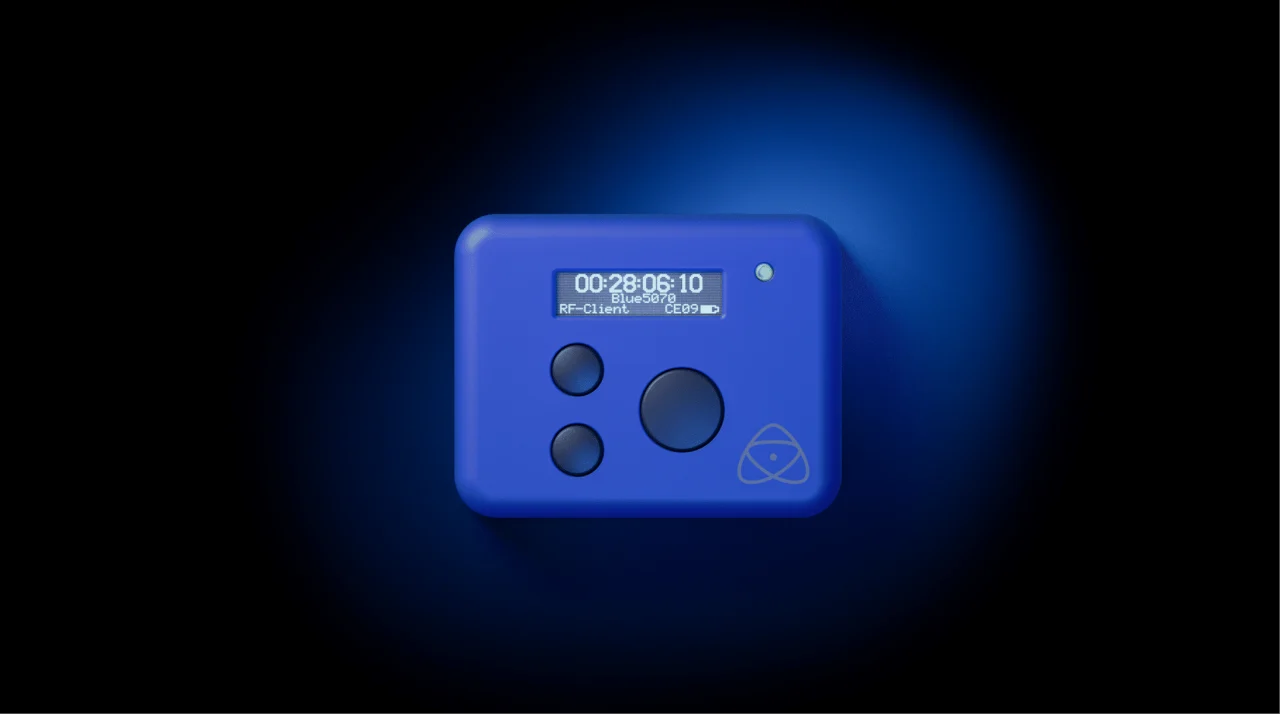
Keeping multiple cameras, audio recorders, and a digital clapperboard locked to the same frame-accurate clock shouldn't require a tangle of timecode cables. BT Cam Pro and Cinema Slate PRO now support Atomos AirGlu BT wireless timecode synchronization over Bluetooth Low Energy—bringing direct compatibility with Atomos UltraSync BLUE and AtomX SYNC.
Whether you run an UltraSync BLUE in your sound bag or an AtomX SYNC module on the back of a Ninja V, you can lock your phone, tablet, or computer directly to your set's Atomos RF and Bluetooth timecode network.
Supported Atomos AirGlu BT hardware
BT Cam and Cinema Slate connect as native Bluetooth LE timecode clients to Atomos AirGlu BT devices:
- Atomos UltraSync BLUE — compact standalone Bluetooth and RF wireless timecode generator.
- Atomos AtomX SYNC — wireless timecode expansion module for Atomos Ninja V and Ninja V+ monitor-recorders.
Both devices tie into Atomos' long-range RF network, so locking BT Cam or Cinema Slate to an UltraSync BLUE or AtomX SYNC keeps your cameras, audio recorders, and slate aligned with the rest of your production.
Pair inline in seconds
Pairing happens directly from the timecode discovery screen—no separate companion app required.
- Open Timecode Settings in BT Cam or Cinema Slate and choose Atomos AirGlu BT.
- On your UltraSync BLUE or AtomX SYNC, open the device menu and select Bluetooth Pair.
- Tap the discovered Atomos unit in the app's device list.
- Select this device's name on the Atomos screen and confirm pairing.
Once paired, BT Cam and Cinema Slate read the unit's stored device name and keep the link alive so the timecode display and LTC output track the hardware clock continuously rather than free-running. If a device's pairing table is cleared or reset, the app automatically detects the stale pairing and prompts you to pair again.
Frame-accurate timecode, LTC output, and BWF recording
With Atomos AirGlu BT selected as your timecode source, every downstream timecode tool in BT Cam Pro and Cinema Slate PRO follows your Atomos clock:
- Digital Clapperboard (Cinema Slate PRO): Display live, frame-accurate Atomos timecode on your iPad, phone, or laptop slate and log exact timecode on every take.
- LTC Audio Output: Generate standard linear timecode (LTC) audio from your device's audio output to jam-sync or feed cameras and recorders that only have a 3.5mm mic or line-in jack.
- Broadcast Wave (BWF / iXML) Recording: Record generated LTC audio as Broadcast Wave files with embedded timecode and slate metadata for automatic sync in DaVinci Resolve, Premiere Pro, and Final Cut Pro.
- Multi-Camera Control & Slate Sync: Combine BT Cam's multi-brand camera remote control with Cinema Slate's clapperboard so clapping the sticks logs the Atomos timecode and starts or stops recording across connected cameras.
Supported frame rates
Atomos AirGlu BT timecode sync supports standard production frame rates including 23.976, 24, 25, 29.97 (drop-frame and non-drop-frame), and 30 (drop-frame and non-drop-frame). Frame rate updates from the Atomos unit are reflected automatically in the app.
Check the supported hardware list or explore Cinema Slate to bring Atomos wireless timecode into your next multi-camera shoot.